
You may have a stunning website and a great product — but if users find it confusing or frustrating, they’ll leave before taking action. That’s where UX (User Experience) comes in.
A well-designed UX isn’t just about looks; it’s about making every click effortless and every interaction intuitive. Studies show that 88% of users won’t return after a bad experience, meaning poor UX directly impacts your conversions, credibility, and even SEO performance.In this blog, we’ll explore the top 5 UX mistakes businesses commonly make on their websites — and more importantly, how to fix them to create a seamless, high-converting user experience.
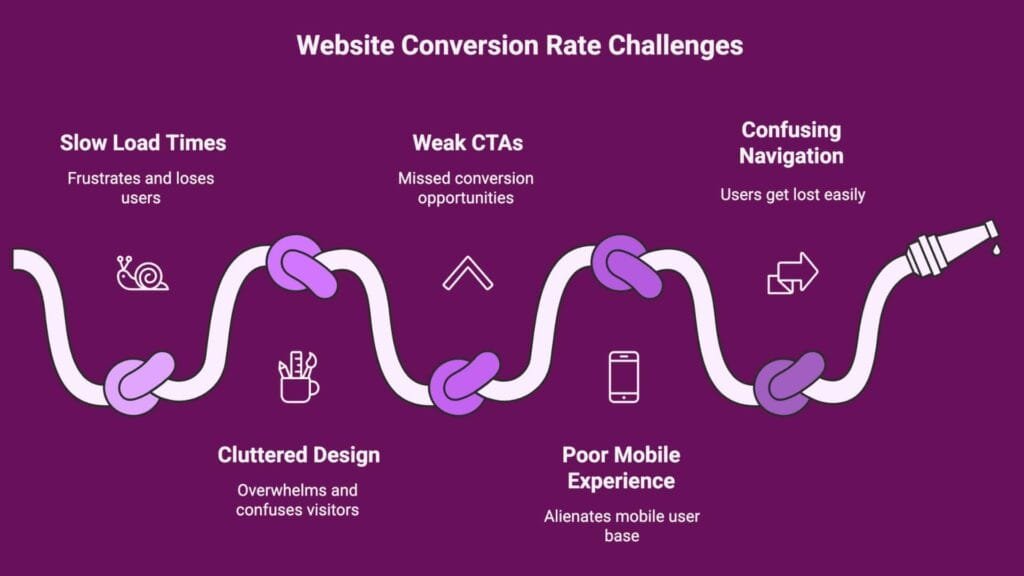
Mistake #1: Slow Load Times – The Silent Conversion Killer
Speed matters more than ever. If your website takes more than 3 seconds to load, most visitors are already gone — and so are your potential conversions. Slow load times not only frustrate users but also hurt your SEO rankings, as Google prioritizes fast, responsive websites.
Common culprits include uncompressed images, bulky scripts, and poor hosting. These small issues can quickly add up and drag down your site’s performance.
How to Fix It:
- Compress images using tools like TinyPNG or WebP formats.
- Leverage browser caching and minify CSS/JS to reduce load times.
- Use a Content Delivery Network (CDN) to serve content faster across regions.
- Test performance regularly with Google PageSpeed Insights or GTmetrix.
A fast website doesn’t just improve user experience — it builds trust, keeps visitors engaged, and boosts your conversion rates.
Mistake #2: Cluttered Design – When “More” Becomes “Messy”
When everything on your website demands attention, users end up noticing nothing. A cluttered design overwhelms visitors, dilutes your message, and makes it harder for them to take action. Clean, focused layouts help users navigate effortlessly and improve your conversion flow.
Common causes include too many visual elements, inconsistent colors, and lack of white space. These not only confuse users but also make your site look unprofessional.
How to Fix It:
- Embrace white space to give your content room to breathe.
- Focus on one primary goal per page — whether it’s a signup, download, or purchase.
- Maintain consistent typography, color schemes, and layout structure.
- Use visual hierarchy to guide users naturally toward key actions.
A simple, well-structured design doesn’t mean boring — it means clarity, confidence, and better conversions.
Mistake #3: Weak CTAs – Missing the Moment to Convert
You can have great content and design, but without a strong Call-to-Action (CTA), visitors won’t take the next step. A weak or unclear CTA — like a simple “Click Here” — fails to tell users what they’ll get or why they should act now.
CTAs are the bridge between interest and conversion, and every word matters. The right message, placement, and design can dramatically boost engagement and sales.
How to Fix It:
- Use clear, action-oriented language like “Get My Free Quote” or “Start My Trial.”
- Highlight the benefit — what’s in it for the user.
- Make CTAs stand out visually using contrast, spacing, and size.
- Test different placements (above the fold, end of sections, or exit pop-ups) to find what performs best.
A well-crafted CTA turns passive visitors into active leads — and that’s where your website truly starts to convert.
Mistake #4: Poor Mobile Experience – Ignoring the Majority of Users
With over 60% of web traffic coming from mobile devices, a poor mobile experience can cost you more than half your potential customers. If your site isn’t responsive — with tiny buttons, broken layouts, or hard-to-read text — users will leave within seconds.
Mobile-friendliness is no longer optional; it’s a core ranking factor for Google and a key part of modern UX design. A seamless mobile experience builds trust and keeps users engaged, no matter what device they’re on.
How to Fix It:
- Use responsive design that adapts to all screen sizes.
- Ensure buttons are large and tap-friendly, with clear spacing.
- Optimize images and code for faster mobile load times.
- Test regularly with Google’s Mobile-Friendly Test and real devices.
A mobile-first approach ensures that every visitor — desktop or handheld — enjoys a smooth, effortless experience on your website.
Mistake #5: Confusing Navigation – Losing Users in the Maze
If visitors can’t find what they’re looking for within a few clicks, they won’t stick around. Confusing navigation is one of the biggest UX killers — it frustrates users, increases bounce rates, and weakens trust in your brand.
When menus are cluttered or poorly labeled, users feel lost. Great navigation, on the other hand, acts like a roadmap — clear, consistent, and intuitive.
How to Fix It:
- Keep your main menu simple, with 5–7 top-level items max.
- Use clear, descriptive labels instead of vague terms.
- Add a visible search bar to help users find content quickly.
- Follow the three-click rule — users should reach any key page in three clicks or less.
- Use breadcrumb navigation for clarity on multi-level pages.
When users can explore your website effortlessly, they stay longer, engage more, and are far more likely to convert.
Emerging UX Trends to Watch in 2025
UX design is constantly evolving, and keeping up with emerging trends helps ensure your website stays modern, intuitive, and engaging. To see how design aesthetics and technology are shaping the digital landscape, explore our insights on top web design trends for 2025.
Here are some key UX trends to watch this year:
- Micro-Interactions: Subtle animations and feedback (like button hover effects or loading indicators) make interactions feel alive and intuitive.
- Accessibility-First Design: Inclusive design that supports all users, including those with disabilities, improves both UX and SEO.
- AI-Powered Personalization: Tailoring content and recommendations based on user behavior creates a seamless, relevant experience.
- Voice and Conversational UI: Voice search and chatbots are becoming integral, making navigation and support faster and more natural.
- Minimalist, Content-First Design: Clean layouts with focused content continue to drive engagement and reduce cognitive load.
By incorporating these trends, businesses can create websites that are not only visually appealing but also highly user-friendly, keeping users engaged and boosting conversions well into 2025.
Conclusion – Make UX Your Competitive Advantage
A great website isn’t just about stunning visuals — it’s about how smoothly users can interact with it. By fixing common UX mistakes like slow load times, cluttered layouts, weak CTAs, poor mobile design, and confusing navigation, you can turn frustration into conversions.
Strong UX builds trust, improves SEO, and creates a lasting impression that keeps visitors coming back.
At Infometrix Technologies, we design websites that don’t just look good — they work beautifully for every user. If you’re ready to elevate your website experience, explore our Website Development services and let’s create a design that converts.